Home › Templates › Rent increase notice timing
Rent Increase Notice Timing: Work Back From the Lease End Date
Most rent-increase mistakes are timing mistakes: the notice goes out too late to take effect when you planned. The fix is to start from the date you want the new rent to begin, subtract the notice period that applies to you, and add a safety buffer.
The basic date math
Last day to deliver notice = effective date − notice days. Then plan to send it earlier by a buffer you choose.
| Lease ends / new rent planned from (example) | 2027-03-31 |
| Notice days (example only — use yours) | 60 |
| Last day to deliver notice | 2027-01-30 |
| With a 14-day safety buffer, aim to send by | 2027-01-16 |
You can check dates like these with our free rent increase & renewal planner.
Things that can change the timing
- Lease type. Rules for month-to-month tenancies and fixed-term leases are often different. During a fixed term, the lease itself usually controls whether rent can change.
- Size of the increase. Some places require longer notice for larger increases or cap the increase.
- Delivery method. Some rules add days for mailed notice or specify how notice must be served.
- How days are counted. Whether the delivery day counts, and what happens when a deadline falls on a weekend or holiday, can matter. When in doubt, send earlier.
- Frequency. Some places limit how often rent can be raised.
Keep a record of every notice
For each unit, record the proposed rent, the effective date, the date and method you delivered the notice, and a copy of what you sent. If a notice goes out late, the earliest possible effective date usually moves later (delivery date + notice days) — confirm locally what applies. Apply increases consistently and in line with fair-housing rules.
The template
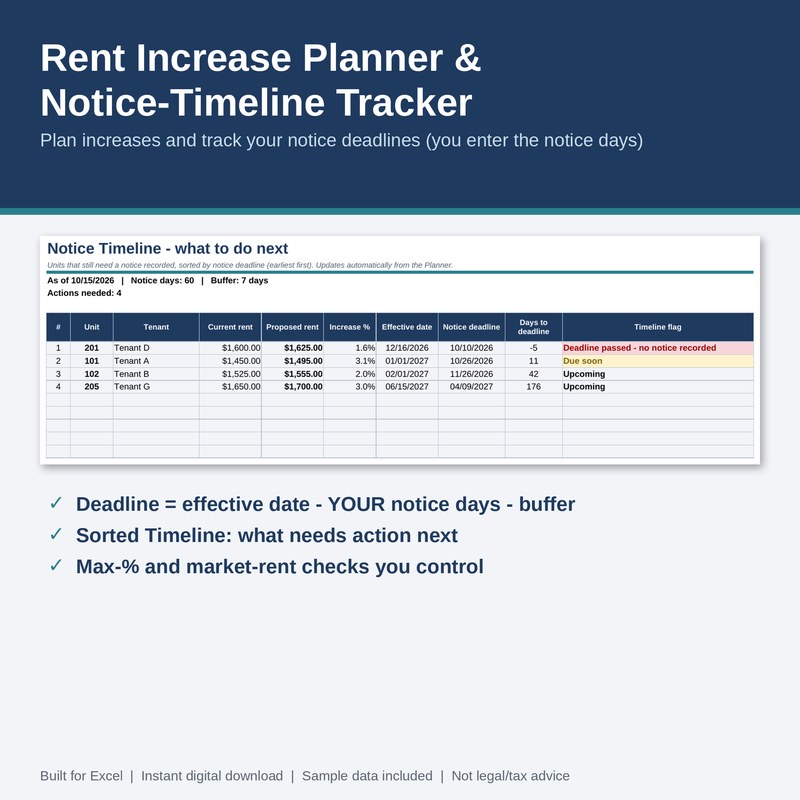
Rent Increase Planner & Notice-Timeline Tracker — $12
- Settings: your notice days, safety buffer, “due soon” window, default increase %, optional maximum % and rounding
- Planner (30 units): proposed rent, increase $ and %, effective date, notice deadline, days left, months since the last increase, optional market-rent comparison
- Delivery log with an on-time / late check and the earliest effective date
- Timeline of units that still need a notice, sorted by deadline, and a dashboard
- Sample data, instructions, changelog, license, and a filled example copy
Tested: 5,222 automated checks against independently calculated results, 0 failures at version 1.0.0 (LibreOffice recalculation; download and open in Excel (.xlsx) or LibreOffice, then check it once against the sample data). Nothing is hard-coded about any state: you enter the notice days and limits. It does not write, send or serve notices.
Free download: Landlord Quick-Check
A free Excel (.xlsx) workbook: monthly rental cash flow and break-even rent, plus a late-fee and grace-period date calculator. Fictional sample data included; created with AI assistance and formula-tested.
Delivered through our Gumroad store, which asks for an email address at checkout, even for free items.
Related: Security Deposit & Lease Renewal Tracker · free rent increase planner